How to Write YouTube Titles That Get More Clicks (With Free AI Title Generator)
Learn how to write YouTube titles that attract more clicks, improve SEO, and rank higher in search. Discover proven title formulas and generate optimized titles with AI in seconds.

Uploading a great YouTube video is only half the battle. If your title doesn't grab attention, many people will never click even if your content is excellent.
Creators often spend hours scripting, recording, and editing their videos but write the title in just a few seconds. Unfortunately, that's one of the biggest mistakes you can make.
Your title is one of the strongest signals for both viewers and YouTube's algorithm. A well-written title can increase your click-through rate (CTR), improve search visibility, and help your videos reach a much larger audience.
In this guide, you'll learn what makes a great YouTube title, common mistakes to avoid, and how AI can help you generate better title ideas in seconds.
Why YouTube Titles Matter
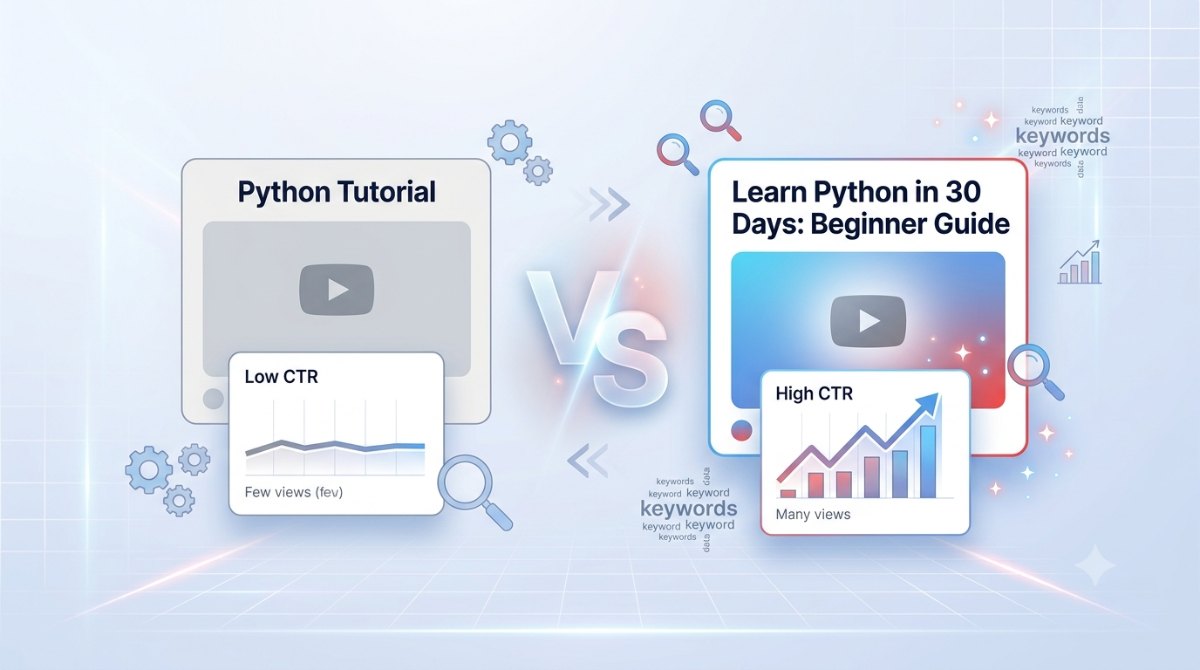
Imagine these two videos are about the same topic.
Python Tutorial
Learn Python in 30 Days: A Beginner's Step-by-Step Guide
Which one would you click?
Most viewers naturally choose the second option because it's more specific, promises a clear benefit, and creates curiosity.
Your title directly influences:
Click-through rate (CTR)
YouTube Search rankings
Suggested Videos
Browse features
Viewer expectations
A stronger title often means more views without changing the video itself.
What Makes a Great YouTube Title?
The best YouTube titles usually include five important elements.
1. Be Clear
People should instantly understand what the video is about.
Instead of:
My Thoughts
Try:
My Honest iPhone 17 Review After 30 Days
2. Include Your Main Keyword
Use the phrase your audience is actually searching for.
Examples:
Python Tutorial
Weight Loss Tips
Resume Writing
AI Tools
Photoshop Tutorial
Place the keyword naturally near the beginning of the title whenever possible.
3. Promise a Benefit
Tell viewers why they should watch.
Examples:
Save Time
Avoid Mistakes
Learn Faster
Step-by-Step Guide
Beginner Friendly
4. Create Curiosity
Good titles encourage viewers to learn more without becoming misleading.
Examples:
7 Mistakes Every Beginner Makes
I Tested This for 30 Days
Before You Buy...
What Nobody Tells You About...
Avoid clickbait that your video can't deliver.
5. Keep It Readable
Long titles may get cut off on smaller screens.
Aim for around 50–60 characters when possible while still making the title meaningful.
Common Mistakes That Reduce Clicks
Many creators unknowingly hurt their video's performance by using weak titles.
Some common mistakes include:
Using vague titles like "My Vlog"
Stuffing too many keywords
Writing everything in uppercase
Making titles too long
Ignoring search intent
Using misleading clickbait
A title should be interesting, but it should also accurately reflect the content of the video.
Proven YouTube Title Formulas
Here are a few title structures that consistently perform well.
How-To
How to Learn Python Fast
List
10 Productivity Apps You Should Try
Mistakes
7 Resume Mistakes That Cost You Interviews
Review
iPhone 17 Review: Is It Worth Buying?
Comparison
ChatGPT vs Claude: Which AI Is Better?
These formats work because they clearly communicate value while matching what users search for.
How AI Helps Create Better Titles
Coming up with fresh title ideas every time can be difficult, especially if you publish videos regularly.
AI can speed up this process by generating multiple variations based on your topic.
Instead of giving you a single generic title, modern AI tools can suggest:
SEO-focused titles
Curiosity-based titles
Tutorial titles
Listicle titles
Review titles
Click-worthy alternatives
This gives you more options to test before publishing.
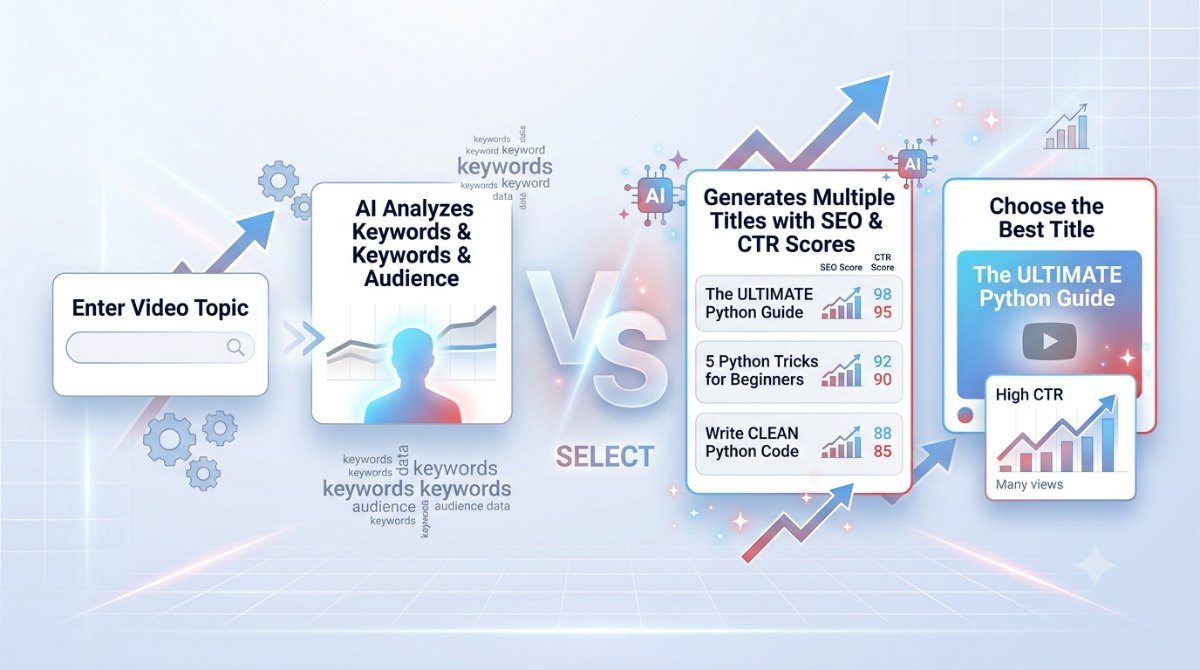
Generate Better Titles with Synctoolo
Instead of brainstorming from scratch every time, you can use Synctoolo's AI YouTube Title Generator.
The tool helps you generate multiple title ideas based on your topic while providing useful insights such as:
SEO score
Estimated CTR score
Different title styles
Thumbnail text suggestions
Audience selection
Tone selection
Multiple language support
Whether you're creating tutorials, gaming videos, travel vlogs, tech reviews, or educational content, it helps you discover stronger title ideas in seconds.
Real Example
Suppose your video topic is:
Python Tutorial for Beginners
Instead of publishing:
Python Tutorial
You could choose titles like:
-Learn Python in 30 Days: Beginner Roadmap
-Python Tutorial for Beginners (Step-by-Step Guide)
-10 Python Basics Every Beginner Should Know
-Learn Python Faster with These Simple Tips
-Python Made Easy: Your First Programming Course
Each version targets a different search intent while remaining clear and engaging.
Final Thoughts
A compelling YouTube title can dramatically improve your video's performance without changing the content itself. By writing clear, keyword-focused titles that promise value and spark curiosity, you'll give your videos a better chance of earning clicks and reaching a wider audience.
If you're struggling to come up with title ideas, an AI-powered tool can save time and provide multiple optimized suggestions instantly.
Whether you're a beginner or an experienced creator, investing a few extra minutes in crafting the right title can make a significant difference to your channel's growth.
🚀 Generate engaging YouTube titles for free and boost your video's click-through rate
We build and review free, privacy-first tools at Synctoolo.
Keep reading
Blank pages slow every writer down. Learn how AI helps generate SEO-friendly blog posts faster while keeping your content original, readable, and optimized for search engines.
Reading every word isn't always necessary. Learn how to summarize long content effectively, compare manual vs AI summarization, and preserve the main ideas without losing context.