Change Text to Uppercase, Lowercase, Title Case & More
Use a free online Case Converter to change text to UPPERCASE, lowercase, Title Case, Sentence case, camelCase, PascalCase, snake_case, and kebab-case instantly.

Text formatting sounds simple until you have a large block of text that needs to be changed.
Maybe you copied a headline written entirely in uppercase.
Maybe a title needs proper capitalization.
Or perhaps you're a developer who needs to change a variable from userName to user_name.
Doing this manually isn't difficult when you have a few words.
But when you're working with dozens of lines, it becomes repetitive, slow, and surprisingly easy to get wrong.
That's where a case converter can save time.
A case converter lets you transform text between different capitalization and naming styles in seconds—without manually rewriting the content.
With Synctoolo's free Case Converter, you can switch text between eight different formats, including UPPERCASE, lowercase, Title Case, Sentence case, camelCase, PascalCase, snake_case, and kebab-case.
Use the Synctoolo Case Converter
What Is a Case Converter?
A case converter is a text formatting tool that changes the capitalization or naming style of your text automatically.
For example, you could start with:
this is my new project title
and convert it into:
UPPERCASE
THIS IS MY NEW PROJECT TITLE
lowercase
this is my new project title
Title Case
This Is My New Project Title
Sentence case
This is my new project title
For developers, the same text can also be converted into programming-friendly formats such as:
camelCase
thisIsMyNewProjectTitle
PascalCase
ThisIsMyNewProjectTitle
snake_case
this_is_my_new_project_title
kebab-case
this-is-my-new-project-title
Instead of changing each word manually, you can select the format you need and copy the result.
Why Do People Need a Case Converter?
The main reason is simple:
Different situations require different text formats.
A blog headline may look better in Title Case.
A paragraph usually uses Sentence case.
A Python variable may need snake_case.
A JavaScript variable may use camelCase.
A URL slug commonly uses kebab-case.
And sometimes you simply need to fix text that was accidentally typed with Caps Lock enabled.
A free case converter gives you one place to handle all of these situations.
1. Fix Text Written in the Wrong Case
We've all done it.
You start typing and suddenly realize that Caps Lock was turned on.
Instead of manually typing the entire paragraph again, you can paste the text into a text case converter and switch it to lowercase or Sentence case.
For example:
THIS TEXT WAS ACCIDENTALLY TYPED IN CAPS
can quickly become:
This text was accidentally typed in caps.
This is particularly useful when working with:
Long documents
Imported text
Scraped content
Notes
Headlines
Product descriptions
Social media copy
2. Format Blog Titles and Headings
Writers and content creators frequently need to change the capitalization of titles.
For example:
how to write better blog posts with ai
could become:
How to Write Better Blog Posts With AI
A Title Case converter can make this process much faster.
Synctoolo's Title Case mode also follows smarter capitalization rules rather than blindly capitalizing every word.
That matters because:
How To Write A Blog Post With AI
can look less polished than a properly formatted headline.
Consistent capitalization makes articles, headings, and marketing content look more professional.
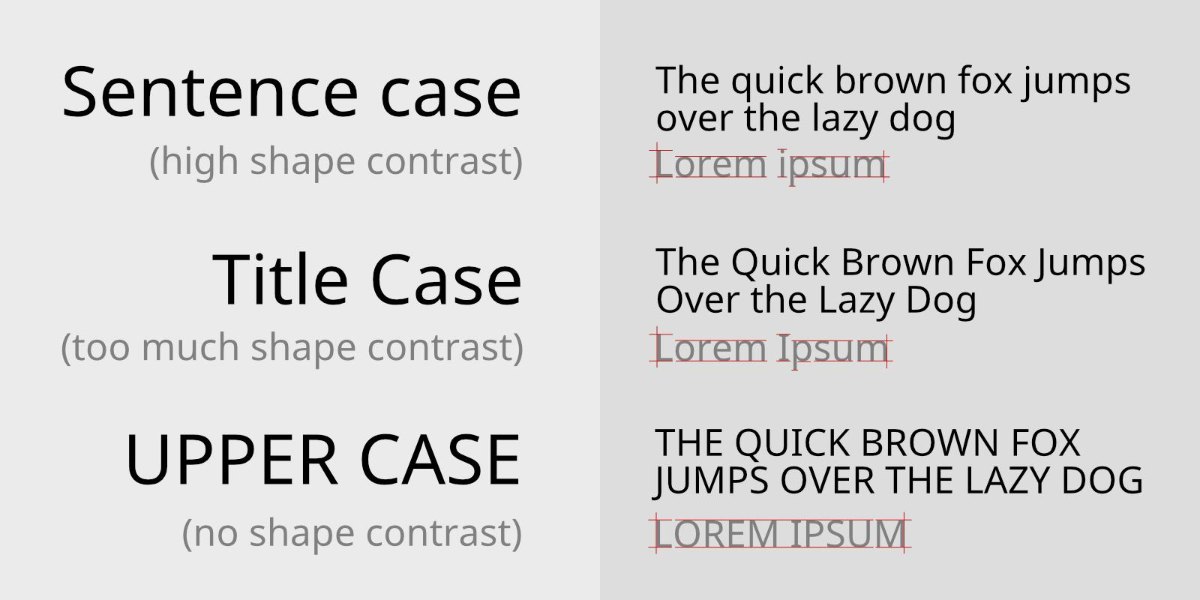
3. Convert Text for Programming
A case converter isn't only for writers.
Developers deal with naming conventions every day.
Different programming languages and frameworks commonly use different casing styles.
For example:
camelCase
getUserProfileCommonly seen in JavaScript and TypeScript variables and functions.
PascalCase
UserProfileOften used for classes and components.
snake_case
user_profileCommonly used in Python and other programming contexts.
kebab-case
user-profileFrequently used for URLs and CSS class names.
When you're renaming variables, converting names between systems, or cleaning up code, manually changing every separator and letter can become tedious.
A camel case converter or snake case converter can handle the transformation instantly.
4. Keep Developer Naming Conventions Consistent
In a software project, naming consistency matters.
Imagine one developer creates:
user_nameAnother uses:
userNameAnd another writes:
UserNameAll three may refer to the same concept, but inconsistent naming can make a codebase harder to read and maintain.
A case converter helps developers quickly transform names into the convention their project requires.
This can be particularly helpful when moving information between:
APIs
Databases
Frontend applications
Backend systems
Documentation
Configuration files
Instead of manually renaming every word, convert the text and move on.
5. Create Cleaner URL-Friendly Text
You'll also encounter case conversion when creating URLs.
For example:
How To Build An AI Tool
can become:
how-to-build-an-ai-tool
This kebab-case format is commonly used for readable URLs and other web naming situations.
If you're regularly creating blog posts, documentation, landing pages, or routes, converting text to kebab-case can save time.
If you specifically need to turn a title into a clean URL slug, you can also use Synctoolo's Slug Generator.
6. Clean Up Text Before Publishing
Text often comes from different sources.
You might copy content from:
A document
A spreadsheet
A website
A design file
A database
An email
An internal tool
The capitalization may not match the style you're using elsewhere.
Instead of editing everything manually, run the text through a case converter online and standardize it before publishing.
This is especially useful for large blocks of text where changing every heading or line individually would take unnecessary time.
7. Save Time on Repetitive Formatting
Changing the case of five words isn't a big deal.
Changing the case of 500 words is.
That's where automation becomes useful.
A good online case converter lets you:
Paste your text.
Select the desired case.
Review the result.
Copy it.
That's it.
No complicated settings.
No manual editing.
No repeatedly switching between applications.
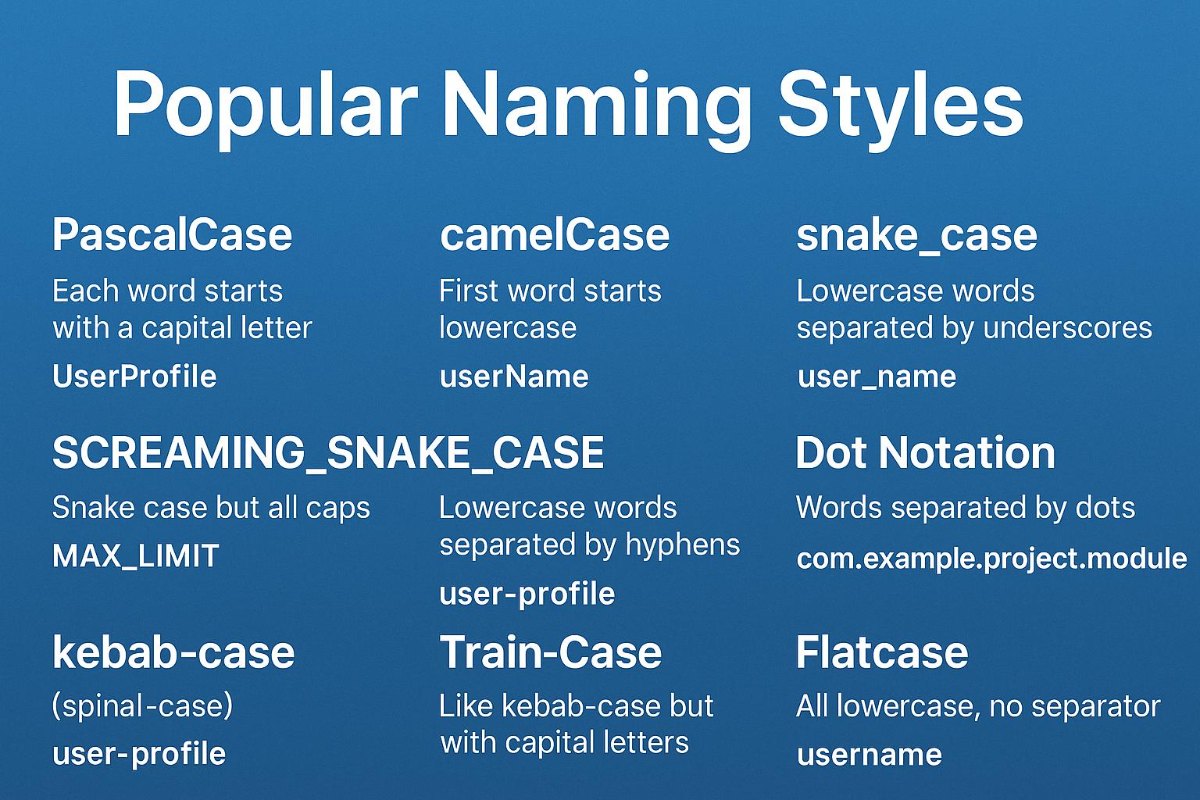
UPPERCASE, lowercase, Title Case or Sentence Case?
Not sure which format you should use?
Here's a simple guide:
Case | Example | Common Use |
|---|---|---|
UPPERCASE |
| Emphasis, labels |
lowercase |
| Casual text, technical processing |
Title Case |
| Headlines and titles |
Sentence case |
| Body text and sentences |
camelCase |
| Variables and functions |
PascalCase |
| Classes and components |
snake_case |
| Variables, Python, databases |
kebab-case |
| URLs, CSS, web naming |
Knowing the difference makes it easier to choose the right format instead of simply converting everything to uppercase or lowercase.
How to Use Synctoolo's Case Converter
You don't need to manually edit your text.
Using the tool takes only a few seconds.
Step 1: Paste your text
Copy the text you want to change and paste it into the input box.
Step 2: Choose your case
Select the format you need:
UPPER
lower
Title
Sentence
camelCase
PascalCase
snake_case
kebab-case
Step 3: Copy the result
Once the text has been converted, copy it and use it wherever you need it.
The tool also preserves line breaks and punctuation, making it practical for larger blocks of content.
Why Use Synctoolo's Case Converter?
Synctoolo's Case Converter is designed for both writers and developers.
Whether you're cleaning up an article heading, fixing accidental Caps Lock text, converting variable names, or preparing a URL-friendly format, you can do it from one simple tool.
It supports eight different case styles:
UPPERCASE
lowercase
Title Case
Sentence case
camelCase
PascalCase
snake_case
kebab-case
It also preserves line breaks and punctuation and provides one-click copying.
Most importantly, you don't need to manually rewrite the text.
A Small Tool That Solves a Repetitive Problem
Case conversion isn't usually a difficult task.
It's just repetitive.
And repetitive tasks are exactly the kind of work that should be automated.
Whether you're a student formatting an assignment, a blogger cleaning up headlines, a marketer preparing content, or a developer converting naming conventions, a case converter can turn several minutes of manual editing into a few clicks.
Paste your text, choose the format, and copy the result.
Frequently Asked Questions
What is a case converter?
A case converter is a tool that changes text from one capitalization or naming format to another, such as UPPERCASE, lowercase, Title Case, camelCase, PascalCase, snake_case, and kebab-case.
What is the difference between camelCase and PascalCase?
camelCase begins with a lowercase letter, such as userProfile. PascalCase begins with an uppercase letter, such as UserProfile.
What is snake_case used for?
snake_case uses underscores between words, such as user_profile. It is commonly used for variable and function names in Python and in some database naming conventions.
What is kebab-case used for?
kebab-case separates words with hyphens, such as user-profile. It is commonly used in URLs and web-related naming.
Can I convert an entire paragraph?
Yes. You can paste a block of text into a case converter and convert the entire selection instead of changing each word manually.
Is a case converter useful for developers?
Yes. Developers can use it to quickly convert variable, function, class, database, and URL names between common naming conventions.
Start Converting Your Text
Whether you're fixing a paragraph typed in CAPS, formatting a blog headline, or converting a variable name for your code, you shouldn't have to change every character manually.
Use Synctoolo's free Case Converter to transform your text into the format you need in seconds.
Convert your text instantly with Synctoolo's free Case Converter.
We build and review free, privacy-first tools at Synctoolo.
Keep reading

Learn how to create clean, readable, SEO-friendly URL slugs from titles and sentences. Discover why URL structure matters and how a free slug generator can save time.
A word counter is useful for more than checking essay length. Discover 7 practical ways to count words, characters, sentences, paragraphs, and reading time while writing